

UAV Simulation Software Recommendations: Choosing the Ideal Platform for Drone Testing and Development
2026-08-09
Navigating the expansive world of UAV simulation can feel overwhelming—there's no shortage of platforms claiming to accelerate your drone testing and development cycle. But the reality is, not all simulators deliver the same level of fidelity, scalability, or real-world relevance. Before you commit to a tool that might limit your innovation, consider what truly matters: physics accuracy, environment customization, and seamless integration with hardware-in-the-loop workflows. At the forefront of this evolving landscape, SRIZFLY has been gaining traction among developers who refuse to compromise between simulation depth and ease of use. In this guide, we’ll cut through the noise and help you identify the ideal platform to bring your UAV concepts from digital twin to sky-ready reality—saving you time, budget, and countless headaches along the way.
Beyond the Basics: What Sets Apart a Truly Useful Drone Sim?
A basic drone simulator might teach you how to hover or fly in a straight line, but a truly useful one goes far beyond that. It should replicate the chaotic variables of real-world flight—sudden wind gusts that push your drone off course, battery drain that forces you to rethink your flight plan, and even the subtle lag of a long-range control link. Without these realistic stressors, you're not practicing; you're just playing a video game.
What also separates a good sim from a great one is the depth of its feedback. After every flight, you need more than just a score. You should see a detailed breakdown of stick movements, response times, and error margins, turning every mistake into a clear lesson. And if the simulator can mirror the exact behavior of your own drone—its weight distribution, prop size, and even the modified rates you've dialed in—then the practice becomes directly transferable to the field. That kind of personalized modeling is rare, but it's what turns a simulator from a casual tool into an essential training companion.
Finally, the community and customization around the simulator matter more than you'd think. A closed-off system limits your growth, but a platform that lets you import custom maps, design your own obstacle courses, and share them with others creates an endless learning loop. When you can practice on a replica of your local park or a competition track before ever setting foot there, you build a kind of second-nature adaptability that no amount of textbook study can provide. That's what makes a drone sim not just useful, but indispensable.
Flight Fidelity: Why Physics Engines Matter More Than Graphics
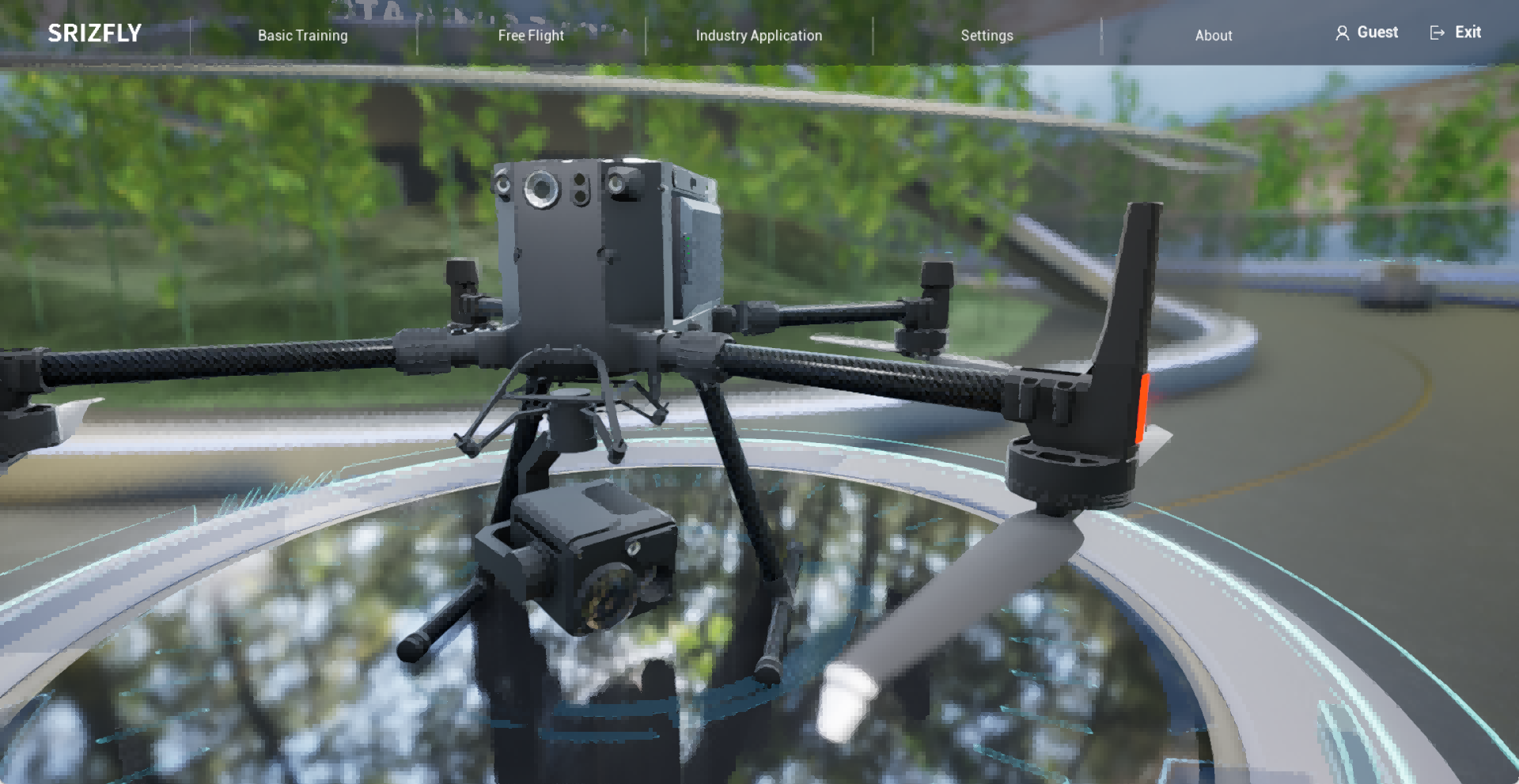
In the world of flight simulation, the visuals might lure you in, but it's the invisible forces under the hood that keep you coming back. A physics engine isn't just a background process—it's the silent instructor that punishes your overconfidence with a sudden stall or rewards a perfectly timed flare with a squeaky touchdown. Without a robust simulation of lift, drag, and inertia, even the most gorgeously rendered aircraft feels like a toy suspended in syrup.
True flight fidelity comes from the math that models how air actually behaves when you pull back the stick. A subtle gust of wind from a mountainside, the weight shift as fuel burns off, or the asymmetric thrust of a damaged engine—these are the moments that separate a simulator from a mere game. Graphics show you the world, but physics makes you feel it, translating your inputs into the delicate dance of a wing teetering on the edge of a spin.
When developers pour resources into aerodynamics instead of chasing the next graphical trend, the result is a cockpit that breathes. You learn to read the aircraft not by looking at the screen, but by sensing the tension in the virtual airframe. In the end, the realism that matters most isn't in the reflection on the canopy—it's in the way your pulse quickens when the plane trembles, warning you that you've pushed just a bit too far.
From Code to Cloud: Simulators That Supercharge Your Development Workflow
Imagine writing code that behaves identically whether it’s running on your laptop or a distant cloud cluster, without the usual cycle of “it works on my machine” surprises. Modern simulators blur this boundary by modeling entire cloud environments—complete with network latencies, resource constraints, and even spot-instance interruptions—right on your local system. Tools like LocalStack or custom lightweight containers don’t just mock APIs; they replicate the messy reality of distributed systems, letting you catch integration bugs minutes after writing them instead of days later when they surface in a staging deploy. This isn’t about simple unit tests dressed up with fancy names—it’s about shifting left the complexity that usually only bites you at 2 a.m. during a production incident.
The real magic happens when these simulators plug directly into your editor or CI pipeline, turning pre-commit checks into full-blown cloud dry runs. You can simulate a dozen microservices talking over gRPC while one of them randomly flakes out, or test how your autoscaling rules react to a simulated traffic spike without ever touching an AWS console. The feedback is immediate, and the mental context switch evaporates because you’re not leaving your coding environment to provision real resources. Teams that adopt this approach find their deployment rituals shrink from hour-long ceremonies to boring, predictable steps—the kind of boring that actually means confidence.
Perhaps the most underrated benefit is how it reshapes the way you reason about system design. When you can spin up a realistic local replica of your entire cloud footprint in under a minute, you start experimenting with architectural decisions that previously felt too risky or time-consuming to try. You’ll tweak message queue configurations, play with different database replication strategies, and even simulate geographic latency between regions—all before writing a single line of Terraform. It’s not just about speed; it’s about cultivating a mindset where the gap between idea and validated implementation shrinks until the cloud feels less like a destination and more like a companion to your development process.
Sensor Simulation: The Unsung Hero of Autonomous UAV Testing
When developing autonomous drones, hardware testing alone rarely captures the full range of edge cases. Sensor simulation steps in to fill this gap, replicating real-world sensing conditions in a controlled digital environment. It frees teams from weather dependencies, reduces wear on expensive equipment, and allows for rapid iteration long before prototypes ever touch the tarmac. In many ways, it’s the quiet force that keeps autonomous UAV projects on schedule.
A well-tuned simulation stack doesn’t just replay recorded data—it generates novel scenarios on the fly. Imagine simulating a sudden fog bank rolling in over a coastal flight path, or testing lidar performance during a simulated sandstorm. These are scenarios that would be dangerous or logistically impossible to recreate physically, yet they’re vital for building robust navigation models. Sensor simulation makes it possible to feed a perception system millions of synthetic miles, uncovering weaknesses that would otherwise remain hidden until a real-world failure occurs.
But simulation is only as good as the gap between its virtual world and reality. The real craft lies in narrowing that gap—adjusting sensor noise models, simulating multipathing for GPS, or adding synthetic turbulence for inertial measurement units. When done thoughtfully, this behind-the-scenes work pays off in drones that can handle the unexpected, making sensor simulation not just a testing shortcut, but a cornerstone of reliable autonomy.
Open Source vs. Proprietary: Picking the Right Path for Your Project
Going open source can feel like inviting the whole world to a potluck—you get a flood of ideas, bug fixes, and enthusiasm you’d never generate alone. The transparency of open code builds trust with users who can peek under the hood, and communities often form around projects they can actually shape. But that same openness means you’re sharing your secret sauce, and if you’re not careful, someone with deeper pockets might fork it and outrun you.
Staying proprietary gives you a tight grip on your roadmap and profit model, letting you charge for licensing or keep critical features exclusive. You can hire dedicated support staff and polish a seamless experience without worrying about a chaotic pull request queue. The downside is that you’re largely on your own—no swarm of volunteers to surface edge cases, and if your product stagnates, there’s no external community to breathe new life into it.
The right path often comes down to whether your core value lies in the code itself or in the ecosystem around it. If broad adoption and rapid iteration matter more than locking down intellectual property, open source might be your catalyst. If you’re building a specialized tool where user trust hinges on a controlled, consistent experience, proprietary may serve you better. Some projects even blend the two, keeping core modules closed while open-sourcing extensions—a hybrid that can offer the best of both worlds.
Test Like You Fly: Bridging the Gap Between Virtual and Real-World Missions
When simulation environments promise accuracy but deliver surprises in the field, the cost can be measured in lost opportunities or worse. The principle of 'test like you fly' insists that every line of code, every hardware component, and every operational scenario must face the same conditions it will encounter beyond the lab. This means injecting real-world noise into sensor feeds, replicating thermal extremes, and refusing to trust a clean virtual sky. Only by brutal honesty in simulation can teams expose the hidden assumptions that quietly accumulate between design reviews.
Bridging this gap often requires deliberately breaking the simulation. Teams that succeed are those who introduce edge cases not from a requirement document, but from field logs: a GPS dropout over rocky terrain, a sudden wind gust during a low-altitude hover, a battery voltage sag that no model predicted. When the virtual twin is fed the same messy, incomplete data as its physical counterpart, the resulting behavior reveals integration flaws that no unit test would catch. The bridge isn't built by perfection—it's built by deliberately seeking the mismatches and using them to refine both the model and the system.
Ultimately, it's about cultivating a culture that values the twin's imperfection as a diagnostic tool. Every discrepancy between simulation and flight becomes a clue, not a failure of the process. By treating the virtual world as a hypothesis rather than a prophecy, teams shift from verifying designs to discovering them—and the hardware that finally leaves the ground carries the scars of a thousand honest tests already survived.
FAQ
UAV simulation software creates a virtual environment where you can test drone behaviors, control algorithms, and sensor interactions without needing physical hardware. It’s widely adopted to reduce development costs, avoid crashes during early testing, and iterate designs quickly. Engineers use it to validate flight dynamics, vision systems, and even swarm coordination before real-world flights.
Several platforms lead the field depending on the use case. Gazebo with PX4 or ArduPilot integration is a staple for open-source projects. AirSim, originally from Microsoft, offers realistic visuals and sensor models for AI training. jMAVSim and FlightGear are also common for SIL/HIL testing. For enterprise work, systems like Ansys or Simulink with the UAV Toolbox provide high-fidelity physics.
A basic simulator might only replicate flight dynamics with simple PID loops, whereas research-grade tools include realistic sensor noise, environmental factors like wind gusts, and support for custom control architectures. Advanced simulators also allow hardware-in-the-loop testing and can interface with custom firmware, which is critical for publishing validated results or testing novel algorithms.
Physical drone testing involves setup, charging, weather constraints, and crash repairs, which all eat into development hours. A simulation lets you run hundreds of test scenarios back-to-back, instantly reset after a failure, and log all state variables without manual measurement. This rapid feedback loop means software bugs or inefficiencies in the control logic are caught and fixed in hours instead of weeks.
Many simulators handle both, but the underlying models differ. Platforms like Gazebo and AirSim provide generic multirotor models out of the box, and with custom aerodynamic models you can simulate fixed-wing aircraft. However, dedicated fixed-wing simulation may require more nuanced modeling of lift, stall, and glide behavior. It’s always worth checking if the platform supports the specific airframe or can be extended via plugins.
Photorealism is crucial when developing or testing computer vision algorithms, such as object detection, obstacle avoidance, or visual SLAM. A simulator with high-quality rendering (like AirSim’s Unreal Engine integration) provides near-realistic image data that can train neural networks effectively. If you’re only testing flight controllers, a simpler visualization is often enough, and focusing on physics fidelity becomes more important than visual detail.
Yes, they can be. Cloud-based simulators lower the hardware requirements and let you scale testing easily. Services like FlytBase or custom cloud setups using Dockerized Gazebo instances allow multiple simulations to run in parallel. For small teams without high-end GPUs, this can be cost-effective. However, latency and ongoing subscription costs need to be weighed against the benefits of local workstation setups.
Conclusion
Selecting a UAV simulation platform goes far beyond flashy graphics or basic flight controls; it's about finding a tool that genuinely mirrors real-world physics. While visual appeal might catch the eye, the real workhorse is the physics engine—accurate aerodynamic modeling, wind dynamics, and material interactions are what determine if your test results will hold up in the field. A truly useful sim also needs to mesh cleanly with your development pipeline. Think seamless integration with code editors, CI/CD systems, and cloud-based parallel testing, letting you run thousands of scenarios overnight and wake up to actionable data, not just log files.
Then there's the quiet powerhouse: sensor simulation. Cameras, LiDAR, IMUs—modeled with real-world noise and failure modes—are what turn a flying game into an autonomous testing lab. Paired with this is the open-source versus proprietary dilemma. Open platforms offer flexibility and community-driven sensor models but often demand heavy lifting in setup; commercial tools can be quicker to deploy but lock you into their ecosystem. Ultimately, the goal is to test like you fly: matching simulated conditions to actual missions so closely that the transition from virtual to real feels almost seamless. Choose a platform that values fidelity over frills, and you'll build drones that perform where it matters—outside the lab.
Contact Us
Contact Person: Niles Liu
Email: [email protected]
Tel/WhatsApp: 8619945009803
Website: https://srizfly.com/